
DemoCut pricing.
Free to start.
A screen recorder for your next tutorial, product walkthrough and everything after it. Try DemoCut free for 3 days (everything except Captions and New voice), then keep the free version or get the full version for $10 a year, or $10 once.
Yearly · $10 a year
The full version, charged at checkout. Renews every year until you cancel.
- Every new version while you subscribe. Updates install inside the app: choose DemoCut › Check for Updates. Cancel any time; versions released while you subscribed stay yours.
- Three Macs you own. One license, signed in with your email and key.
- No 1-minute limit, no mark. Record and export as long as you like, without the DemoCut mark.
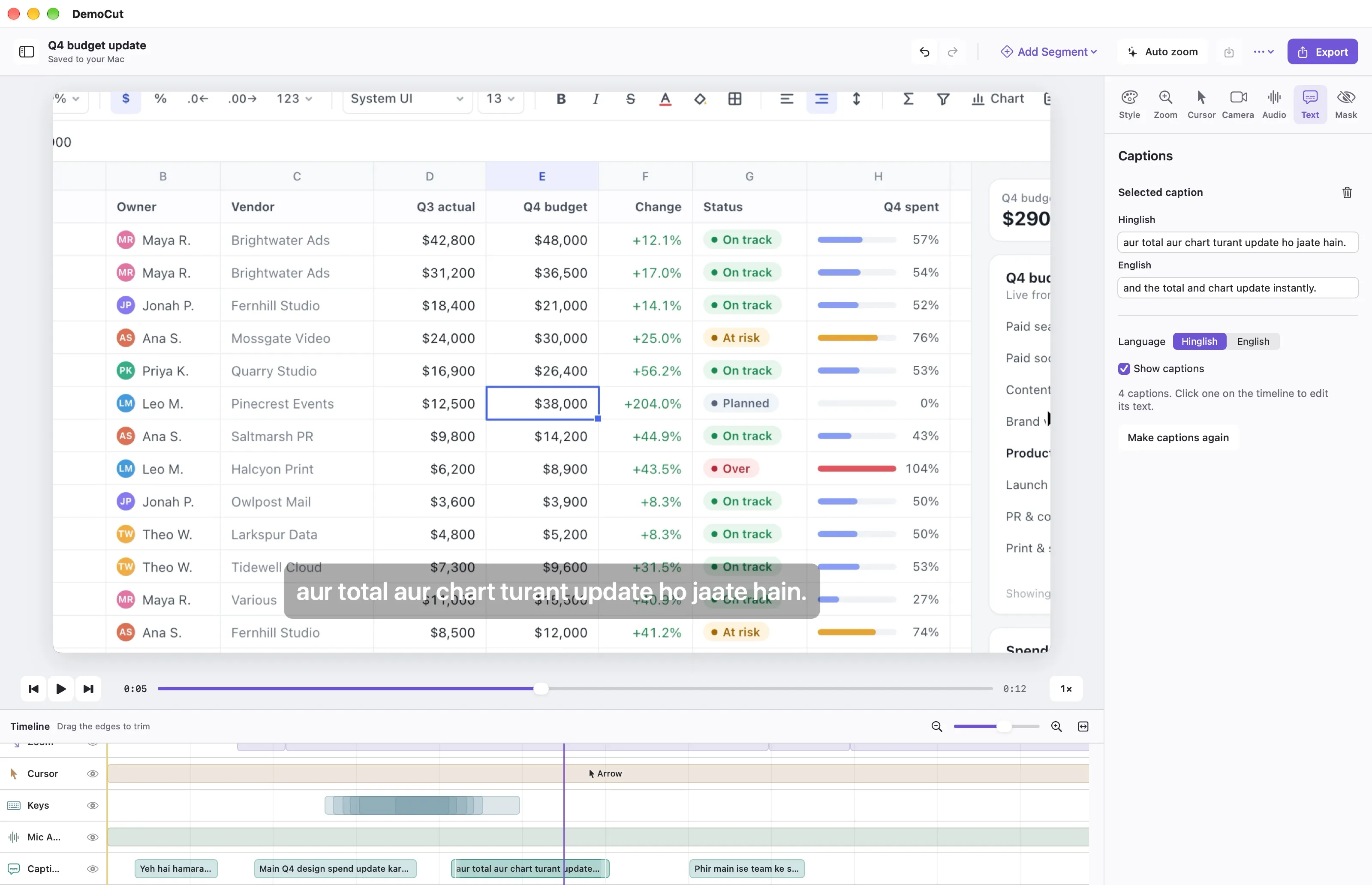
- Captions. Hinglish or English captions made from your voice, burned into the export. There is a daily limit.
- New voice, with 10 voice minutes. Hindi narration to English, or clearer English, in your own voice or a stock voice.
- Local video processing. Recording, editing and rendering happen on your Mac. Only Captions and New voice send audio online, and only when you use them.
Prefer to pay once?
Choose One-time at checkout: $10 once. It includes every version released in the 12 months after your payment, and those versions are yours forever. It never renews.
Trial, free version and full version
| Free trial (3 days) | Free version | Full version | |
|---|---|---|---|
| Recording and export length | No limit | Up to 1 minute | No limit |
| “Made with DemoCut” mark | None | Small mark | None |
| Recording and editing tools | All | All | All |
| Captions | No | No | Yes, with a daily limit |
| New voice | No | No | 10 minutes included |
| Account or card | None | None | Email and license key, three Macs |
Every plan has the same recording and editing tools: the whole screen or one window, camera, microphone and system sound, No zoom, Press and hold or Automatic zoom, Video speed, filler sound removal, noise reduction, masks and highlights, 50/50 vertical Reels, and export to MP4, ProRes or GIF.
Captions
The full version writes captions from your voice, in Hinglish or English. Switch the language any time, and edit the text, move or delete any caption. Turn on Show captions and they are burned into the bottom centre of the export. Captions don’t use voice minutes, but there is a daily limit. Your microphone audio goes to ElevenLabs to make the text, and the caption lines go to Anthropic to write them in Hinglish and English. Muted parts are never sent. The privacy policy explains what is sent.
Voice minutes for New voice
New voice turns your narration into an English voice-over: Hindi to English, or clearer English. Use your own voice or one of 6 stock voices, and edit the script before the voice is made. The full version includes 10 voice minutes. After that, 60 more minutes cost $9 once, from the New voice sheet in the app. Your microphone audio goes to ElevenLabs and the script text goes to Anthropic; muted parts are never sent. The privacy policy explains what is sent.
How does the free trial work?
DemoCut starts a 3-day trial the first time you open it: no 1-minute limit and no mark, with no account and no card. Captions and New voice are part of the full version.
After 3 days it keeps working as the free version, with every recording and editing tool. Recordings stop at 1 minute, and exports are up to 1 minute with a small “Made with DemoCut” mark.
The full version removes the limit and the mark. Buy it on the buy page; you are charged at checkout. Sign in to the app with the email and license key from your welcome email. Cancel any time in Manage subscription, from the app, your welcome email or the Manage page.
Try it with the work you actually do.
Use the 3-day trial to make a real recording with your usual screen, microphone and camera setup. A product demo, a tutorial and a portrait Reel each put different demands on a recording workflow.
Comparing options? See how the price and features stack up in our Screen Studio alternative comparison. See the recording and editing features, or check Mac requirements and download DemoCut.
How do I buy?
Buy the full version on the buy page. Your card is charged at checkout, and your license key arrives by email.
Prices are shown in your local currency where available. Read the product terms for renewal, cancellation and refunds, or contact Anil with any question.